
Discobox
A button-controlled party box for the Arduino Uno R4 WiFi: LED ring and strip effects, a piezo buzzer with songs and UI sound cues, and MP3 playback through a DFPlayer Mini. One button, four gestures (single, double, triple press, hold), several modes.
Project status
Work in progress – not finished. The project is being built in two phases:
- Make it work (current phase): firmware and electronics on a breadboard / perfboard. The button, LED ring, LED strip, buzzer and DFPlayer already run together; remaining electronics issues are listed in JOURNAL.md.
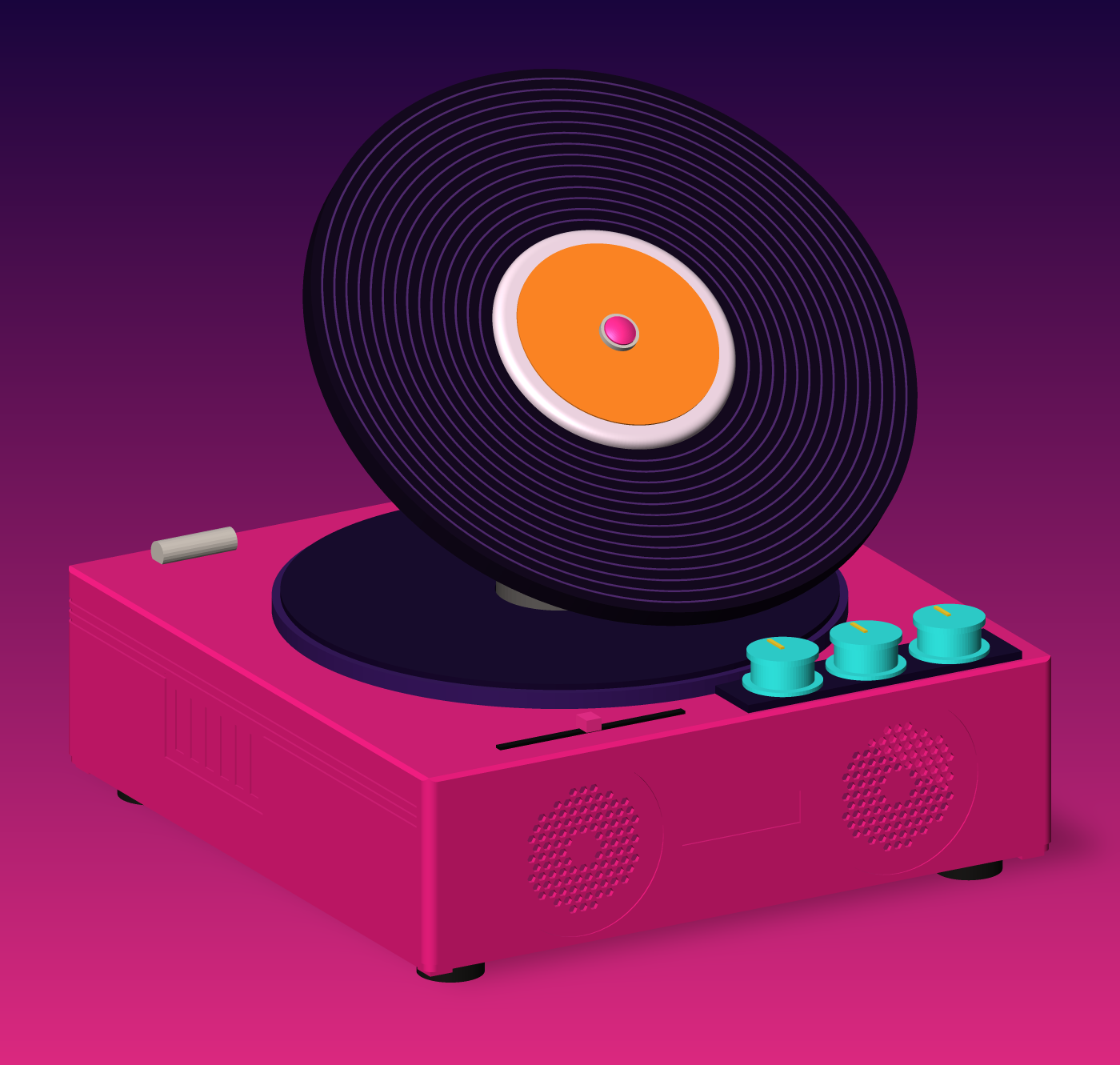
- Design the enclosure and holder (next phase, started): an original record-player enclosure designed around the parts that proved themselves in phase 1: housing with two front speakers, a fixed platter, the button on a pipe from the platter centre, recessed back ports with removable cables, and a separate mains compartment. Only rough block-outs exist so far (cad/, doc/ENCLOSURE.md), no final CAD or STEP yet. The enclosure is planned with a swappable button mount, so the disco-mode button can be exchanged for a different one.
Features
- Gesture button – non-blocking detection of single / double / triple press and hold on one pin
- Modes – Party, Settings, LED and Off, managed by a mode manager
- LEDs – WS2812 ring (FastLED), WS2805 RGBCCT strip (custom SPI driver built to the datasheet timing, 5 channels incl. warm/cool white), PWM RGB button LED
- Buzzer – non-blocking MIDI-style piezo playback, UI sound cues with several theme packs, ducking of songs during cues
- DFPlayer Mini – playlist control, auto-next, volume
- Relay – switches an external load (e.g. a spinning disco light) with Party mode or the
relayconsole command (doc/RELAY.md) - Persistent settings – brightness, volume, mute and cue theme stored in EEPROM
- Serial console – control and inspect everything over USB (
helplists the commands) - Native unit tests – run on your computer, no hardware needed
Hardware
| Part | Pin | Notes |
|---|---|---|
| Button (switch) | D2 | other contact to GND, internal pull-up (pressed = LOW) |
| RGB button LED | D3 (R) / D5 (G) / D6 (B) | LED cathode to GND, resistors are built into the button |
| WS2812 ring (16 LEDs) | D4 | data via 330 Ω, 5 V supply |
| WS2805 RGBCCT strip (12 V) | D11 (SPI MOSI) | to DAT and BIN, +12 V from the supply, common GND; 60 ICs = 180 LEDs (3 LEDs per IC); a 3.3 V to 5 V level shifter is recommended |
| Relay module (1 channel, 5 V) | D7 | active-low, 5 V supply, see doc/RELAY.md |
| Piezo speaker | D9 | other pin to GND |
| DFPlayer Mini RX | D1 (Serial1 TX) | via 1 kΩ |
| DFPlayer Mini TX | D0 (Serial1 RX) | direct |
All grounds (12 V supply, 5 V buck converter, Arduino, strip) must be connected together. The full parts list with prices and links is in BOM.csv; the extra parts for the enclosure, cables and mains side are in BOM_enclosure.csv.
The SD card layout for the DFPlayer (folder 01 = misc, 02 = Party mode, ...) is described in doc/SD_CARD.md.
Electrical wiring diagrams (versions v1.2, v2 and v3, with a version switch) are in doc/wiring. Interactive wiring (click a wire, see it light up in the 3D model): doc/wiring/interactive.html. Cable and plug list with real lengths: doc/CABLES.md.
Everything is also published as one website with GitHub Pages (built on every push by .github/workflows/pages.yml from site/build_site.py); expected address: https://jestingdart4369.github.io/Discobox/ . One-time setup: repository Settings, Pages, Source: GitHub Actions.
The enclosure can be viewed in 3D in a browser: doc/viewer/discobox_viewer.html (versions, show/hide per part, floor and side table). Product picture: doc/img/recordplayer_product.png.
The wiring and class diagrams are in Discobox_Wiring.puml and Discobox_Architecture.puml (PlantUML; the wiring diagram needs Graphviz).
Build and upload
The project uses PlatformIO.
pio run                # build for the Uno R4 WiFi
pio run -t upload      # build and upload
pio test -e native     # run the unit tests on your computer
Project layout
src/main.cpp        entry point, wires everything together
include/            Buzzer player, modes, settings, serial handler
lib/                reusable header-only libraries
                    (GestureButton, Logger, SongPlayer, WS2805,
                     LedController, DFPlayerController, UiSfx, Relay)
test/               Unity tests and Arduino / DFPlayer mocks
doc/                notes, wiring diagrams, enclosure plan and sound tooling
cad/                STL placeholders and block-out of the enclosure (Python generators)
All libraries are header-only. Include order in main.cpp matters and is documented there with comments.
Songs
Only the example song (ExampleSong_song.h) is part of the repository. Other song files in include/Buzzer/Songs/ are git-ignored because the melodies are copyrighted. The player picks up whichever song headers exist locally and skips the rest, so a fresh clone builds without them.
To add your own song, convert a MIDI-style export with convert_song.py, or copy the layout of the example file, then include it in Buzzer_Player.h and add a line to SONGLIST.
Sound credits
- Kenney UI Audio by Kenney Vleugels, CC0 (
doc/sound/kenney_ui-audio) - UI SFX sound packs, CC0 (
doc/sound/uisfx-sounds)
License
MIT, see LICENSE. The bundled sound packs keep their own CC0 licenses (see above).
AI usage
This project was developed with the help of AI (Claude by Anthropic).
- Documentation: README, code comments and diagrams
- Corrections: reviewing code, fixing bugs and writing the unit tests
- Admin tasks: repository cleanup, licensing,
.gitignoreand git history